Free · Windows & Mac · Works with OBS

Live cricket score overlay for OBS Make your cricket stream look like TV.

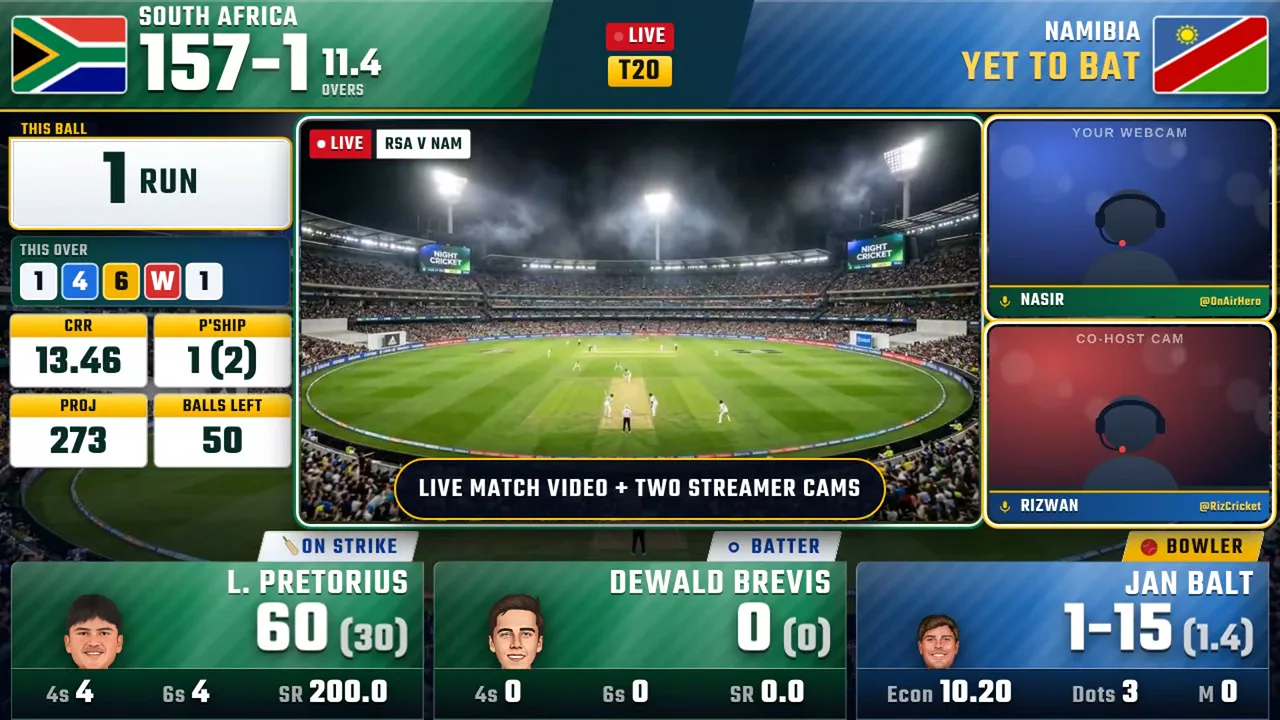
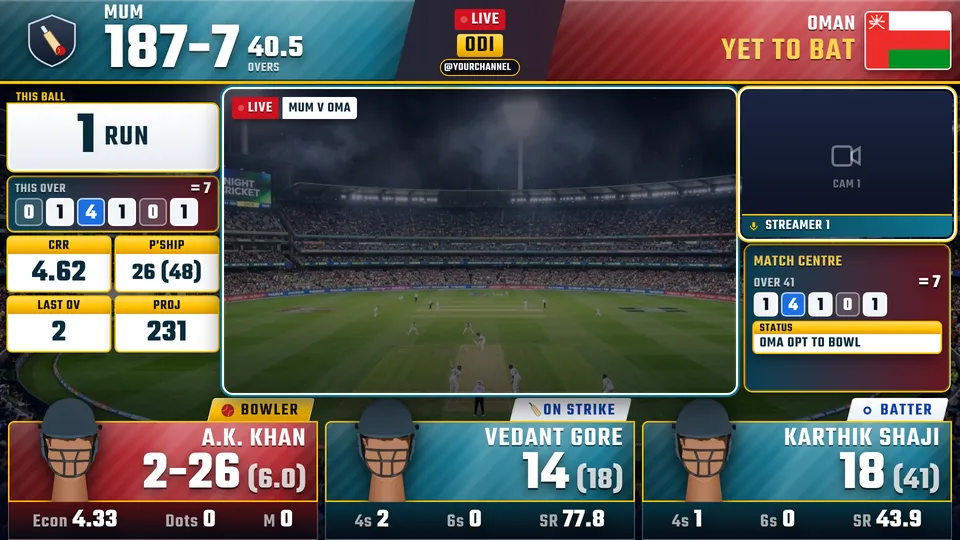
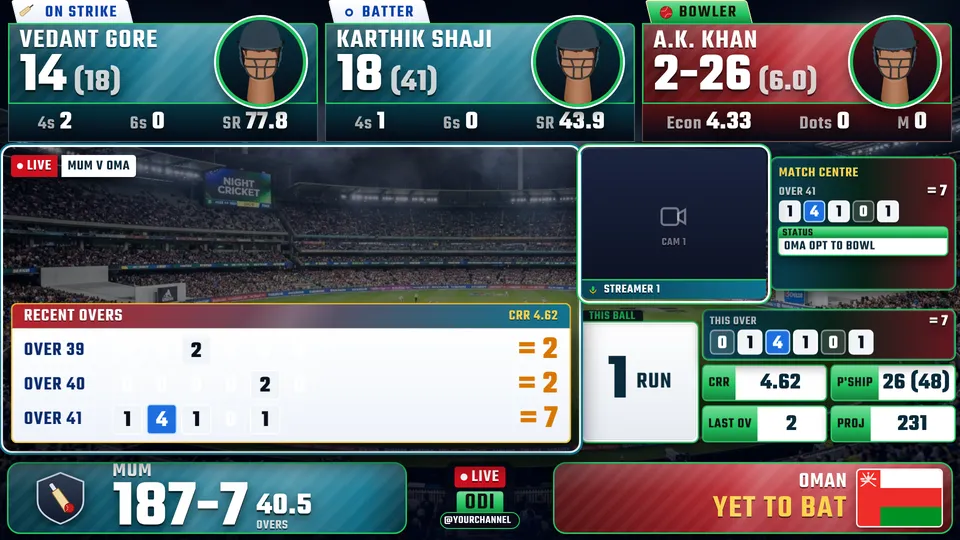
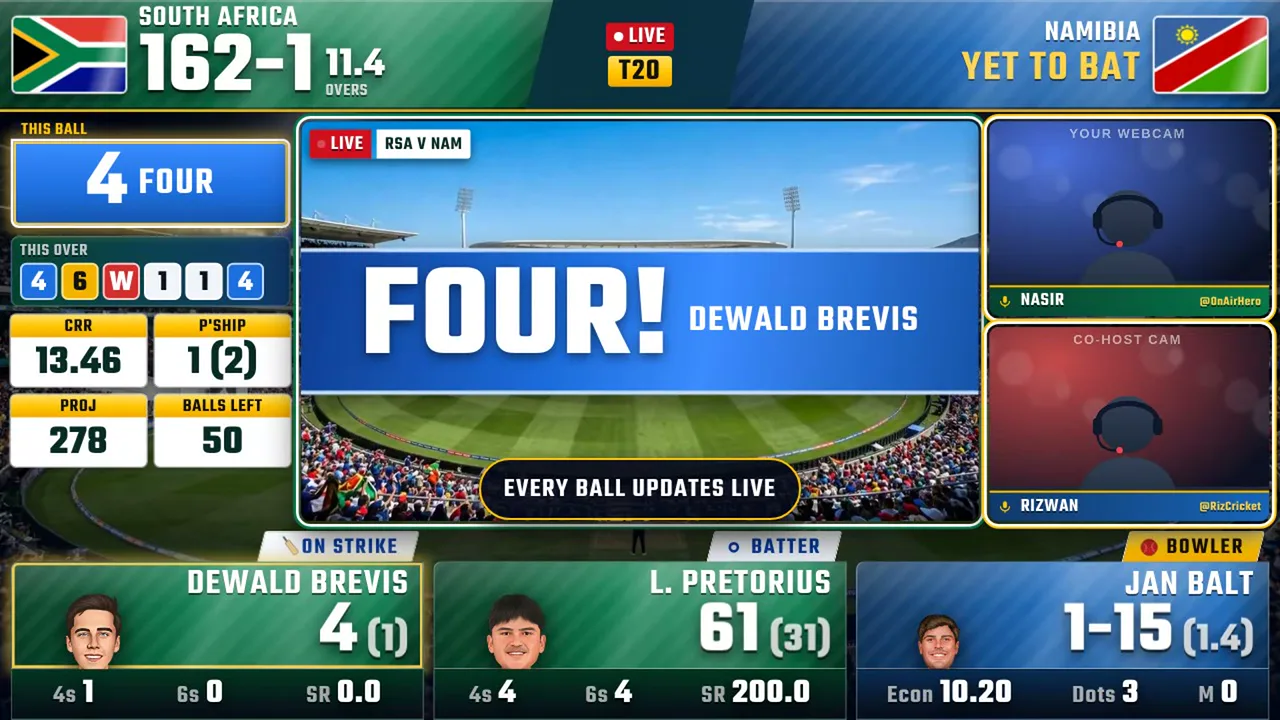
A TV-style scoreboard, FOUR · SIX · WICKET banners and your webcam in a proper frame. Every ball updates by itself — no scoring, no typing. You just talk cricket.

  • Free plan, no card
  • On air in 5 minutes
  • Help on WhatsApp
Recorded straight from the app — what your viewers see.
Stream it on YouTubeFacebookTikTokTwitchInstagram

0taps

Nobody types the score

Pick the live match once. Every run, wicket and over lands on your overlay by itself.

5min

From download to on air

Install, pick a match, paste one link into OBS. The app walks you through it.

TVlook

Look like a sports channel

Score band, boundary banners, player cards and your cams — a stream people share.

See it in action

The real graphics. Straight from the app.

Ninety seconds of OnAirHero on match day: the score updating by itself, FOUR / SIX / WICKET banners, player cards and your cams. Plus the new 3D Match Simulation.

Every graphic is recorded from the real app. Turn the sound on.

What you get

A TV production desk for your cricket stream — without the TV budget.

A FOUR banner firing on the OnAirHero overlay

Scores on autopilot

The score runs itself.

Pick the live match once in the Chrome extension. From then on every run, wicket and over flows onto your overlay — you never touch it during the game.

  • FOUR, SIX and WICKET banners fire the instant the ball is scored
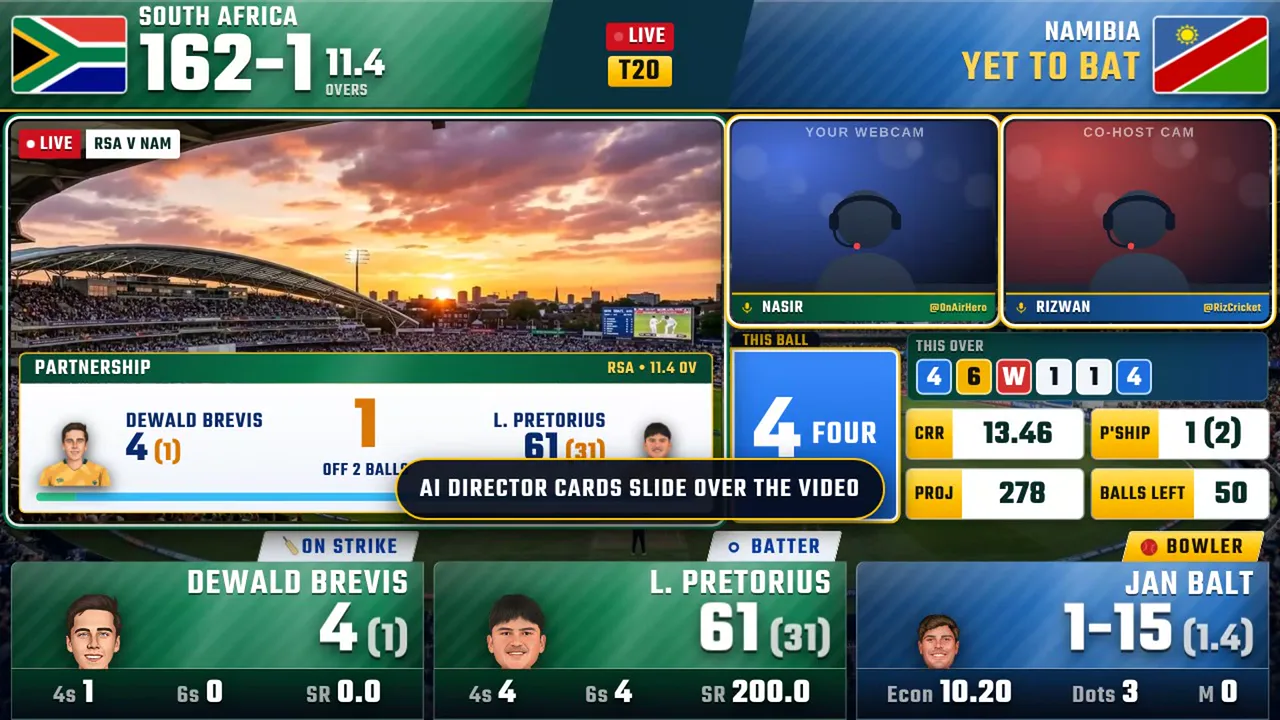
  • Batter, bowler and partnership cards update on their own
  • Milestones, run rate and win % slide in at the right moment
Two streamer cams with name plates beside the live score

You on screen

You, in a TV studio frame.

Your webcam and a co-host sit in proper broadcast frames with name plates, right next to the match — so the stream feels like a real show, not a screen share.

  • Webcam, capture card, phone or a remote guest (VDO.Ninja)
  • Spotlight mode for the big talking points
  • Two cams and a co-host on Pro
A director card with match facts over the match video

Auto-producer

A producer that never sleeps.

Five live scenes rearrange themselves through the match, and OBS moves your sources with them. Pre-match countdown, innings break and match facts are all handled for you.

  • Connects to OBS: cams and match slide into place on each scene
  • Pre-match show and innings-break screens
  • Match tab closed by mistake? It reopens itself and the deck warns you

Pro extras · all in the same app

Two things no other cricket overlay does.

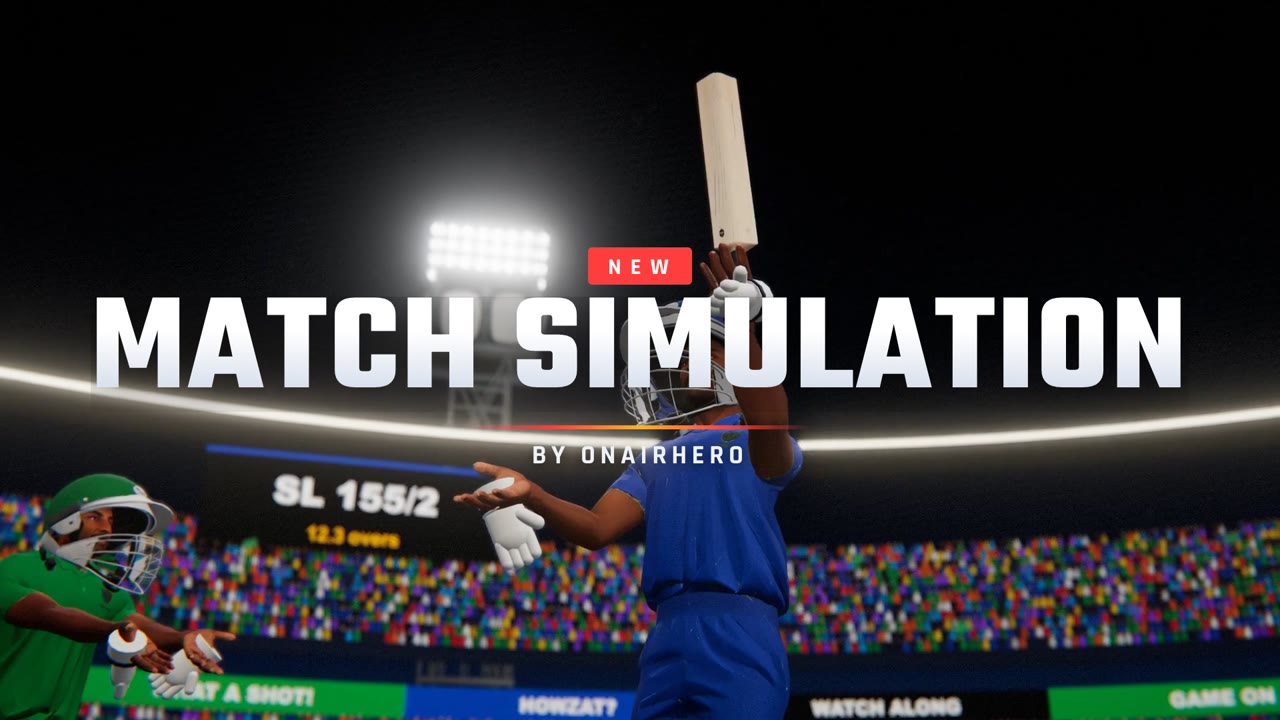
The 3D Match Simulation: a floodlit stadium playing the live match ball by ball
New · Pro

3D Match Simulation

Every ball of the real match played out in a floodlit 3D stadium — the bowler's action, the shot, where it went, catches and celebrations. Your logo on the boards. Perfect when you have no match video to show.

New · Pro

AI voice commentator

An AI commentator calls the boundaries, wickets and milestones in Urdu, Punjabi or English, knows today's match, and gives your YouTube chat shout-outs by name. Runs on your own Gemini key.

How it works

On air in three steps.

  1. 1

    Install the free app

    Download for Windows or Mac and open it. Your producer deck is ready.

  2. 2

    Pick a live match

    Add the Chrome extension, open the match on Cricbuzz or Crex and press “Stream this match”.

  3. 3

    Add one link to OBS

    Paste it into an OBS Browser Source and go live. That’s the whole setup.

Pro looks

Pick your own professional look.

The free download comes with the basic look — the same plain graphics for everyone. Go Pro and choose one of these ready-made broadcast looks: its own style, score position, player cards, animations, 4/6/wicket graphics and auto-producer. Each look goes to one channel only, with your logo and handle on it.

24 looks available

OnAirHero Pro look K01, Stadium Gold K01 Picture coming soon
Stadium Gold
  • slide entrances
  • scores on top
  • cut-out player photos
  • split-bar 4/6 graphic
Choose K01
OnAirHero Pro look K02, Stadium Emerald K02 Picture coming soon
Stadium Emerald
  • rise entrances
  • scores at the bottom
  • floating score cards
  • photo badges on the right
Choose K02

Pictures show a demo match. Your channel logo and handle are added to your look, and it switches on in the app by itself after payment.

Pricing

Start free. Go Pro when you're ready.

Free

Everything you need to go live.

$0

  • Live auto‑updating scores
  • Arena + stock layouts
  • 1 streamer cam
  • OBS integration
  • Small “OnAirHero” mark on stream
Download free
Most popular

Pro

Your channel, your own broadcast look.

$19.99 / month

Charged every month. Renews automatically until you cancel.

Switch to yearly and save $160 a year.

  • Everything in Free
  • Your own custom kit — colours, logo, handle (yours to keep)
  • No OnAirHero mark
  • 2 streamer cams + co‑host
  • Premium banners & new monthly effects
  • 3D Match Simulation — the live match played out in a 3D stadium
  • AI voice commentary — Urdu, Punjabi or English, on your own Gemini key
  • Priority support
Get Pro — $19.99 / month

Sign in with Google and pay by card. Your licence key appears right away.

Pro plans — prices in US dollars, paid by debit or credit card (Visa / Mastercard)
PlanPriceBilling
Monthly$19.99Charged every month; renews automatically until cancelled
Yearly$79.99Charged once a year; renews automatically until cancelled
Lifetime$199One-time payment; no recurring charges

One licence = one computer at a time. Any tax that applies is shown before you pay. Secure checkout by Stripe; the seller is Riwada Limited (United Kingdom). Cancel any time in your account — Pro keeps working to the end of the period you paid for. Refund policy · Cancellation

Who it's for

The cricket scoreboard overlay for people who talk cricket live.

Made for you

Watch-along & live commentary channels

You talk over a live international or T20-league match on YouTube, Facebook or TikTok. OnAirHero keeps the scoreboard right on every ball while you focus on the commentary.

Made for you

Cricket YouTubers growing a channel

Look like the big sports channels from day one: score band, boundary moments, player cards and your webcam in a proper frame. A stream people want to share and subscribe to.

Made for you

Cricket podcasts & match-day talk shows

Keep the live score on screen while you and a co-host discuss the game, with two cams and name plates.

Not the best fit

Your own local or tape-ball match

Not the best fit today. OnAirHero follows matches that already have a live score online, so for a match you score yourself a scoring app is simpler.

Compare with scoring-app overlays · quick facts

OnAirHero vs a scoring-app overlay

OnAirHeroScoring-app overlays
Who enters the scoreNobody. It updates itself from the live matchA scorer taps in every ball on a phone
Made forWatch-along & commentary of professional matchesLocal, club and tournament matches
LookTV-style scoreboard, FOUR / SIX / WICKET banners, player cards, win %, host camsMostly a score strip or scorecard
ExtrasPro: 3D match simulation and AI voice commentary, in the same appRarely
Free planYes, with a small watermarkVaries
Price$19.99 a month, $79.99 a year, or $199 oncePer match, per week or monthly
Runs onWindows or Mac with OBSOften a phone app

OnAirHero at a glance

What it is
A desktop app and Chrome extension that adds a live cricket score overlay to OBS Studio, updating ball by ball by itself. Pro adds a 3D match simulation and an AI voice commentator: an all-in-one live cricket stream kit.
Works with
OBS Studio streaming to YouTube Live, Facebook Live, TikTok Live, Twitch and Instagram Live.
Computers
Windows 10/11 and macOS (Apple Silicon and Intel).
Price
Free plan with a small watermark. Pro: $19.99 a month, $79.99 a year or $199 lifetime, paid by card (Visa / Mastercard). Monthly and yearly renew automatically until you cancel.
Made by
Riwada Limited (United Kingdom). Support in English, Urdu and Hindi on WhatsApp 0346 0665233.

FAQ

Questions about the live cricket score overlay

What is OnAirHero?

OnAirHero is a Windows and Mac app that adds a TV-style live cricket score overlay to your OBS stream: a scoreboard, FOUR / SIX / WICKET banners, batter and bowler cards, run rate, win % and frames for your webcam and a co-host. It is made for cricket watch-along and live commentary streams on YouTube, Facebook and TikTok.

Do I have to type the score during the match?

No. Open the live match page in Google Chrome and press “Stream this match” in the OnAirHero extension. Every ball, wicket and over then updates on your overlay by itself, so you can focus on your commentary.

Which matches does it work with?

Any professional match that has a live ball-by-ball score page online: internationals, T20 leagues and domestic cricket. It is not made for scoring your own local or tape-ball match by hand. A scoring app is the better fit for that today.

Will my stream get a copyright strike?

OnAirHero draws score graphics. It does not bring in any match video. The video window stays off (it shows a stadium picture) unless you put your own video in it. Strikes come from re-streaming TV footage or commentary you don’t have the rights to, so don’t do that. Add your own commentary, camera and analysis, and your stream stays your own content.

Where can I stream with it?

Anywhere OBS Studio can stream: YouTube Live, Facebook Live, TikTok Live (if your account can go live from a PC), Twitch and Instagram Live. The overlay is a browser source inside OBS.

Does it work on a mobile phone?

No. OnAirHero needs a Windows 10/11 or Mac computer (Apple Silicon or Intel) running OBS Studio. It does not run on Android or iPhone. You can still stream to phone-first platforms like TikTok from that computer.

Can I do my own commentary?

Yes, that is the whole idea. OnAirHero only adds the score graphics; your voice, your camera and your analysis are the show. Talk over the match on your mic in OBS while the scoreboard updates itself.

Does it have AI commentary?

Yes, on Pro. An AI commentator calls the boundaries, wickets and milestones (or every ball, or talks all through play) in Urdu, Punjabi, English or a mix, in a natural voice, and can answer your YouTube live chat. It looks up today’s match (squads, form, head to head, venue) and never makes up facts; you can add your own facts and rules. It runs on your own Google Gemini key, so Google bills you directly for what it uses, and you set a cap on how much it talks.
What is the 3D Match Simulation?

A Pro feature that plays every ball of the live match in a floodlit 3D stadium: the bowler’s run-up, the shot, catches, run outs and celebrations, following the real ball-by-ball commentary, with your logo on the boards. Show it in the overlay’s video window when you have no match video of your own.

Are the player photos real?

Player names, scores and stats are real and live. OnAirHero adds player pictures automatically when it can find them for that match, and you can upload your own photo for any player in the app (Asset Studio). A player without a picture shows a neutral placeholder.

Do I need a powerful PC?

If your PC runs OBS, it runs OnAirHero. The overlay is a light web page inside OBS.

Is the free version really free?

Yes. Download it and go live with live scores, the Arena layout and one host cam. The difference is a small onairhero.com mark on your stream and a short OnAirHero promo every few minutes. Go Pro when you want your own look without the mark.

What is the difference between Free and Pro?

Free: live scores, the basic Arena look, one host cam, plus a small onairhero.com mark and a short promo every few minutes. Pro: your channel’s own professional look (a “kit” that goes to one channel only, with your logo and handle), no watermark or promo, a second host cam, the 3D Match Simulation, AI voice commentary and priority support.

How much does Pro cost and how do I pay?

$19.99 a month, $79.99 a year or $199 once for lifetime, in US dollars. Pay by debit or credit card (Visa / Mastercard) at my-staging.onairhero.com: sign in with Google, choose a plan and pay. Monthly and yearly renew automatically until you cancel; lifetime is a single payment.

I paid. How do I get my licence key?

It appears on screen right after you pay and we e-mail it to you. It is always in your account at my-staging.onairhero.com (sign in with Google). In OnAirHero click “Enter licence key” at the top, paste the key and click Activate. Your Pro look downloads by itself. One key works on one computer at a time.

Where do I download OnAirHero safely?

Only from onairhero.com/download. OnAirHero is not sold by any other seller or website. Copies from elsewhere can be old, broken or unsafe (they often buffer and hang) and don’t get updates or support. If someone sold you a copy, message us on WhatsApp.

How do I cancel?

Any time at my-staging.onairhero.com → Manage card & billing → Cancel. Pro keeps working until the end of the period you already paid for, and you are not charged again.

What if I stop paying?

Your custom look stays yours. The small onairhero.com mark comes back and the Pro extras (like the 2nd host) pause until you renew. Then everything switches back on, with no new key needed.

What happens if my internet drops?

The app keeps working. Your Pro features stay on for 72 hours even fully offline.

Can I use Pro on two computers?

One licence works on one computer at a time. Changing PCs? Sign in at my-staging.onairhero.com, choose “Free the PC”, then activate on the new one. Need two PCs at once? Buy a second licence from your account.

Can I get a refund?

Yes — a full refund within 3 days of buying (see the refund policy). Message us on WhatsApp or e-mail admin@riwada.com.

How do I get help?

On WhatsApp at 0346 0665233 (English, Urdu or Hindi), or by email at admin@riwada.com. The step-by-step setup guide is at onairhero.com/guide/obs-cricket-score-overlay.

Download

Download the cricket score overlay app for Windows and Mac

Free to download. Choose your computer below.

The free app comes with the basic look. Pro channels get their own professional look — see the Pro looks.

Not sure which Mac you have? Apple menu → About This Mac: “Chip: Apple M1…M4” means Apple Silicon; “Processor: Intel” means Intel. The wrong one won’t open, so it’s worth a 5-second check.

🔒 The only official download is onairhero.com/download. OnAirHero is not sold by any other seller. Copies from other places can be old, broken or unsafe (they buffer and hang) and don’t get updates or support.

For business

Need something custom?

Custom browser extensions, new sports or live-data sources, white-label overlays for your channel or network, and integrations with your own systems.

Email admin@riwada.com

Your next match deserves a broadcast.

Free download. Live in under ten minutes.